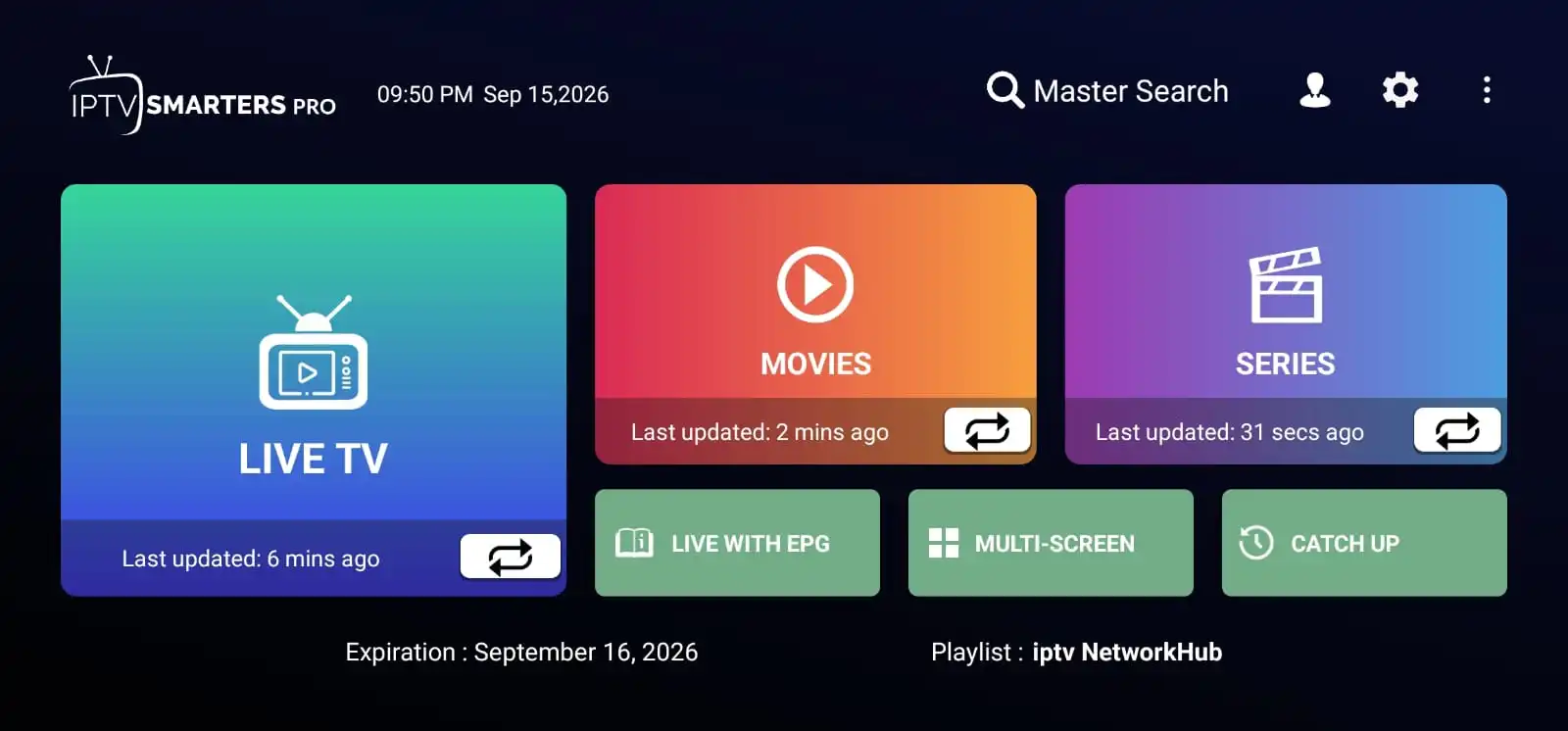
An IPTV player is only an interface. It shows nothing until it is told where your service lives and who you are. That information comes from your provider, and it is what people mean when they talk about "IPTV login details". Getting the format right takes a minute; getting it wrong causes almost every error message people run into.
The Login Methods You Might Be Given
Providers issue credentials in one of a few standard formats. Your provider tells you which one applies — the player simply has to be pointed at the matching option.
| Method | What you enter |
|---|---|
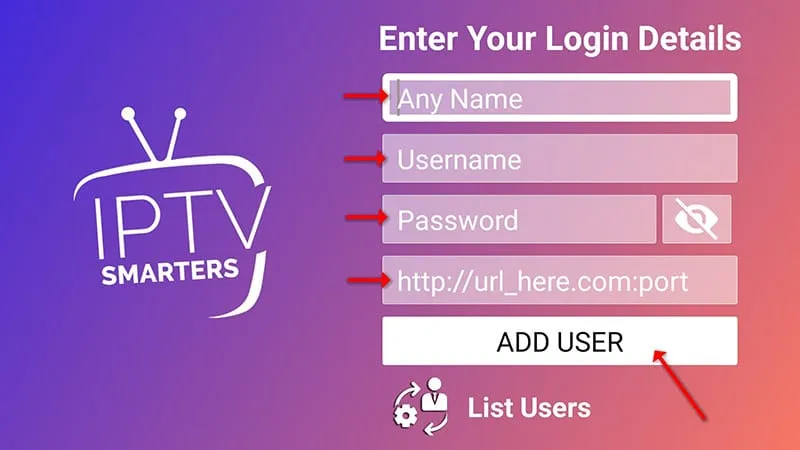
| Xtream Codes API | A username, a password and a server or portal URL, usually including a port number. The most common method on TV devices. |
| M3U playlist | A single playlist link ending in .m3u or .m3u8, pasted into
the
player's playlist or "add M3U URL" option. |
| Portal or MAC login | A portal address plus the device's MAC address, or an activation code that ties the subscription to one device. |
| Activation code | A short code entered in the player, which links the device to your subscription without typing a username at all. |
| EPG / XMLTV link | An optional guide address used only when programme data does not load with the playlist. It never replaces the login. |
If you have been given more than one of these, choose the one your provider names as the standard for your device. Guessing between methods is the fastest way to make a correct password look wrong.
What Each Field Expects
Username
Usually a short string chosen by the provider, not your email address or your name. It may contain letters, numbers and occasionally a dot or underscore. Treat it as case-sensitive and copy it rather than retyping it from memory.
Password
Often a random string of letters and digits. Case matters. If your provider sent the password in a message, copy and paste it where the device allows it, or use a phone keyboard app that types into the TV field. Some providers issue a password that looks like two words joined together — retyping one and misremembering the other is a very common mistake.
Server or portal URL
An address plus, in most cases, a port number, for example http://example.com:8080. The part
after the colon is the port and is essential — dropping it is the single most frequent typo. Include the
http:// prefix if the provider included it. Watch for players that add a prefix themselves:
if the field ends up showing something like http://http://example.com:8080, remove the
duplicate.
Where to Enter the Details on Each Device
- Samsung Smart TV: open the player, choose the provider login method, and type with the on-screen keyboard. See the Samsung Smart TV guide.
- LG Smart TV (webOS): the same flow, with the Magic Remote making typing quicker. See the LG Smart TV guide.
- Android TV and Google TV: type from the Google TV phone app to avoid the remote keyboard entirely. See the Android TV & Google TV guide.
- Fire TV Stick: some players let you sign in through a web link, others need the remote. See the Firestick guide.
- Phone or tablet: quickest of all, since you have a real keyboard. See the Android guide.
A Good Habit Before You Start Typing
Note the details down somewhere you can read them from the sofa, and copy them character by character rather than from memory. Where the app offers a "show password" or reveal option, use it to check what you typed before pressing submit. Where it offers a web login or QR code, prefer that — it removes typing errors completely.
When the Login Fails
Work through these in order; the first four cover most cases.
- Check for typos character by character. Look specifically at
lversus1,Oversus0, upper versus lower case, and any dot or hyphen. - Check the port number. Missing digits after the colon in the server URL will always fail.
- Check the login method. A playlist URL entered into a username field, or the reverse, never connects.
- Check the subscription state. An expired, suspended or unpaid account produces a login error no matter how correct the details are. Only your provider can confirm this.
- Check the connection limit. If your plan allows one simultaneous stream, signing in on a second device can be rejected or knock the first one offline.
- Check the connection itself. Try a phone on the same network to confirm the internet is working, and restart the router if other apps are also stalling.
- Check for a copied space. Pasting a value that carries a trailing space is common and hard to spot. Delete the last character and type it again.
- Then contact your provider. If the details are typed exactly as issued and the account is active, the remaining causes — server maintenance, IP restrictions, regional blocks — are on their side.
How to Ask for Help Properly
A support request that can be answered in one reply is worth writing carefully. Include the device and player you are using, the exact error message on screen, whether the account has ever worked, what you have already tried, and when the problem started. Never post a username, password or full server URL in a public forum or social media thread — share the format but not the values, and ask the provider for a reset if credentials may have been exposed.
Keeping Your Details Safe
- Store credentials in a password manager rather than a screenshot in your camera roll.
- Do not pass them to friends, resellers or "activation" services offering to set things up for you.
- Be cautious of anyone selling logins far below the normal market price — the account is unlikely to last, and using it may breach the terms you agreed to.
- Change or request a reset if you suspect the details have leaked.
Frequently Asked Questions
What login details do I need for IPTV?
It depends on the method your provider uses. Most commonly it is a username, a password and a server or portal URL. Some services issue an M3U playlist link instead, or activate the device by MAC address or code.
Where do I find my IPTV username, password and server URL?
They are issued by your provider, usually in a welcome or activation message or on a customer dashboard. They are never published publicly, and you should not borrow them from anyone else.
What does an Xtream Codes login look like?
A username, a password and a server URL such as http://example.com:8080. Include the
prefix and the port number exactly as supplied.
What is an M3U playlist link?
A URL that points to a list of stream addresses, usually ending in .m3u or
.m3u8. Paste the whole link into the player's playlist option.
Why does my IPTV login fail?
The usual causes are a mistyped character, the wrong login method, a missing port number, an expired subscription or too many simultaneous connections. Recheck the details first, then contact your provider.
Should I add http:// to the IPTV server URL?
Use exactly the format your provider supplied. If their address includes it, keep it — and remove any doubled prefix the player adds automatically.
Can I use the same IPTV login on two devices?
Only within your plan's simultaneous connection limit. Exceeding it commonly causes a login error or drops the older stream.
Is it safe to share my IPTV login details?
No. They grant access to your account and its connection slots, and sharing them usually breaches the terms of the service. Ask for a reset if they may have leaked.
What are the EPG URL and the XMLTV file?
Guide data rather than streams. Some players accept an XMLTV link ending in .xml or
.xml.gz. Use only the address your provider supplies, and leave the field empty if
the guide loads automatically.